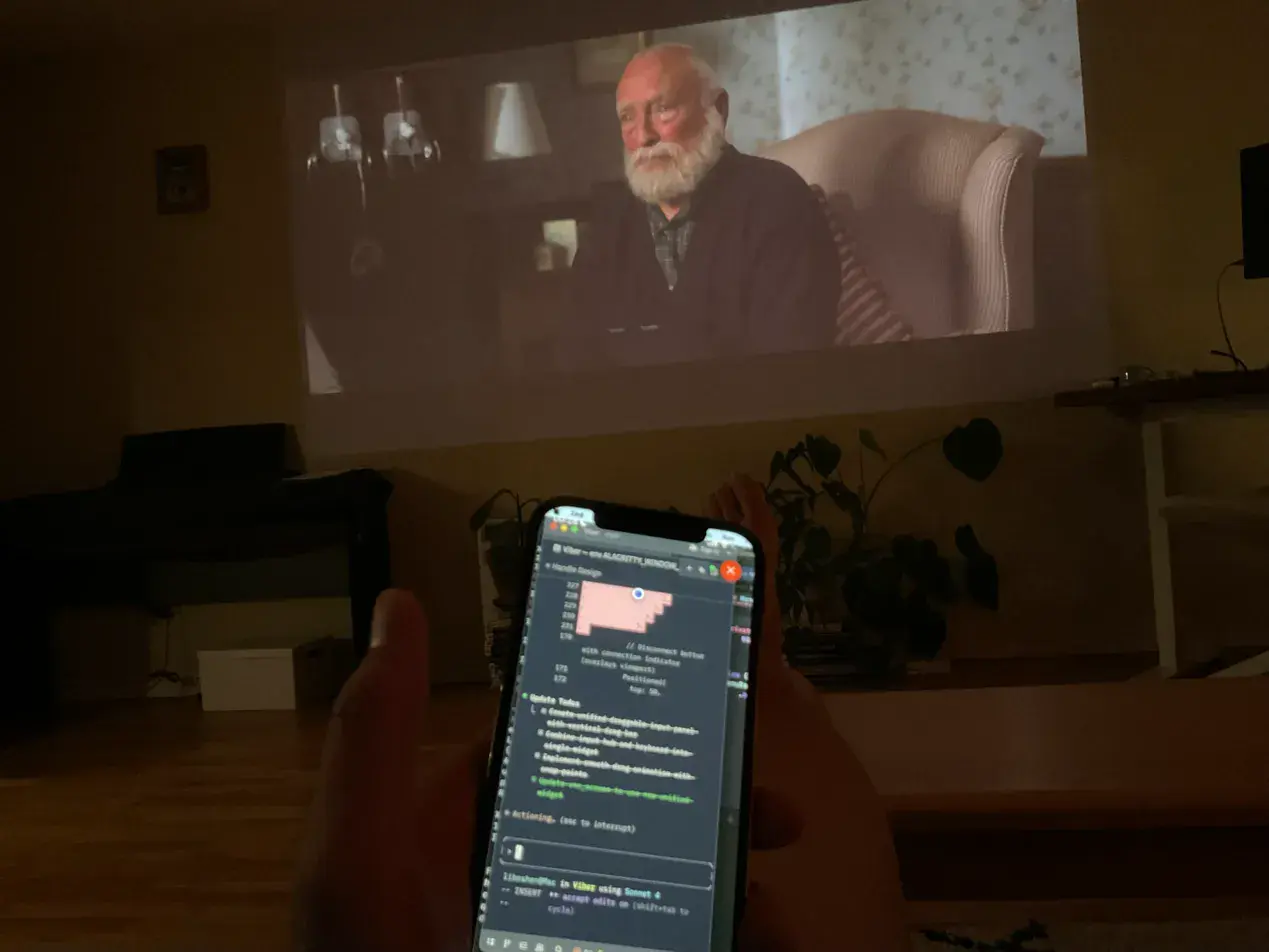
Building AFK with AFK — fixing bugs, running simulators, all from the couch while watching Thursday Murder Club.
Your full dev environment, from your pocket.
AFK is a remote desktop app that connects your iPhone to your Mac — designed for vibe coding, seriously. Low latency, touch-optimized, just works.
Building AFK with AFK — fixing bugs, running simulators, all from the couch while watching Thursday Murder Club.
Your configs, your tools, your local databases, your running services. Everything.
Cursor, Claude Code, Copilot, Windsurf — whatever you use today, whatever comes next. AFK doesn't care.
AI writes code. You need to run it, see it, test it. Browser, simulator, logs — all accessible.
Every detail designed for vibe coding on your phone.
Vibe coding means jumping between apps — Cursor, browser, terminal, simulator. AFK lets you switch instantly, not squint at a shrunken desktop or hunt for tiny window edges.
Jump between apps without hunting through a tiny desktop
Actually read your code — no panning side-to-side for one line
Multi-monitor setup? All your windows, one tap away
Phone in one hand, coffee in the other. Scroll, pan, zoom — all with your thumb. Confirm a suggestion, navigate options, switch tabs — one gesture, no fumbling with the keyboard.
Scroll and navigate like a native app, not a clunky remote viewer
Quick confirmations and selections without opening the keyboard
Customizable shortcuts for your workflow
Typing prompts on a phone keyboard is painful. Dictate instead — it's fast, it's smooth, and you skip the tiny keyboard entirely. When you do need to paste something, it just works.
Dictate your prompts — skip the tiny keyboard
Paste URLs and snippets from your phone instantly
Full keyboard when you need it — all the keys, all the modifiers
Everything feels immediate. Scrolling, tapping, voice — no lag, no stutter. Works on WiFi or cellular. We put a lot of effort into making it just work.
Low latency streaming — interactions feel instant
Works on cellular — not tied to your home WiFi
Direct peer-to-peer connection — no server in the middle
AFK connects you to your Mac. What runs on it is up to you.
No account needed. Just install and connect.
Download from TestFlight
Pair and tap your Mac. Done.